
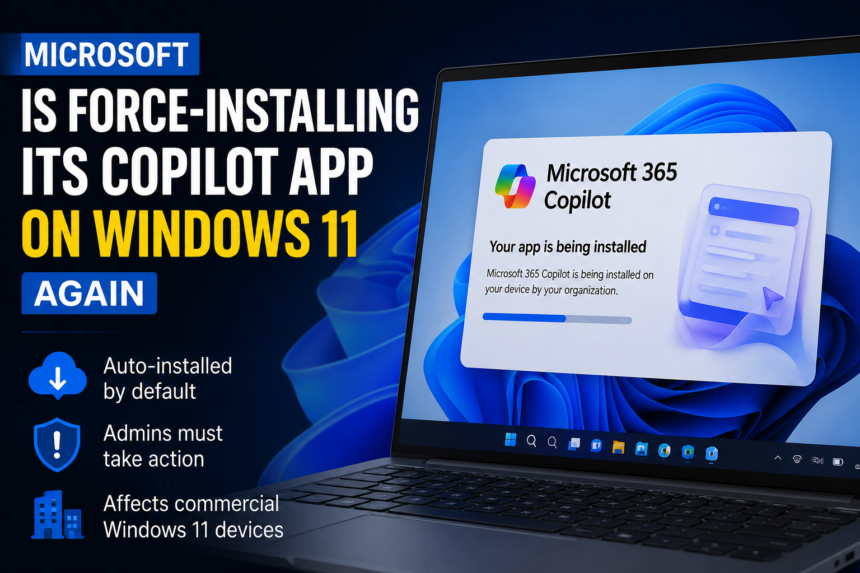
Microsoft 365 Copilot App, Microsoft is once again pushing its AI ambitions forward, and this time, many organizations may find a new application appearing on their Windows 11 devices whether they asked for it or not.
After a six-month pause caused by what Microsoft previously described as a technical issue, the tech giant has resumed the automatic installation of its Microsoft 365 Copilot app on commercial Windows 11 systems. The rollout is already underway and is expected to reach eligible organizations worldwide by early July 2026.
Microsoft’s Copilot Rollout Returns After a Six-Month Break
The pause is officially over.
Microsoft has restarted the deployment of the Microsoft 365 Copilot app across commercial devices running Microsoft 365 Apps. The company initially suspended the rollout several months ago due to technical complications, but now the installation process has resumed.
Unlike optional software updates that require user approval, this deployment is enabled by default. That means organizations that have not adjusted their settings may soon see the application appear automatically across their Windows 11 environments.
For many administrators, the concern isn’t necessarily the software itself—it’s the fact that it arrives without a direct request.
What Exactly Is the Microsoft 365 Copilot App?
Microsoft 365 Copilot App, One of the biggest sources of confusion is understanding what this application actually is.
Many users assume it’s the same Copilot assistant that once appeared in the Windows sidebar. It isn’t.
Others think it’s the personal Copilot application linked to individual Microsoft accounts. That’s not correct either.
The Microsoft 365 Copilot app is essentially a redesigned version of Microsoft’s Office Hub. Think of it as a central workspace where users can access Microsoft 365 documents, services, and AI-powered tools from a single interface.
Microsoft has wrapped artificial intelligence features around the existing productivity hub, turning it into a gateway for its broader Copilot ecosystem.
How the Installation Happens
The installation process is particularly noteworthy because it doesn’t rely on traditional Windows updates.
Instead, Microsoft delivers the Copilot app through the same update infrastructure used for Microsoft 365 applications such as Word, Excel, PowerPoint, and Outlook.
This means organizations may receive the software alongside routine Office updates.
The rollout mechanism includes:
- Delivery through Microsoft 365 Apps updates
- No dependency on Windows Update
- No Microsoft Store installation requirement
- Automatic deployment on eligible commercial Windows 11 devices
- Default activation unless administrators intervene
In simple terms, the app arrives through a channel that businesses already trust and use regularly.
Who Will Be Affected by the Rollout?
Microsoft 365 Copilot App, The deployment primarily targets commercial organizations using Microsoft 365 Apps on Windows 11 devices.
Businesses, enterprises, educational institutions, and other commercial customers could see the application installed automatically if they meet Microsoft’s eligibility requirements.
However, not every organization is included.
Microsoft has chosen to exclude tenants operating within the European Economic Area (EEA), creating a notable exception that has attracted significant attention from industry observers.
Why IT Departments Are Paying Close Attention
Software deployment is usually a carefully managed process.
Most organizations evaluate applications before rolling them out to employees. They conduct testing, assess compatibility, verify security requirements, and determine whether the software aligns with business goals.
Automatic installations can disrupt that process.
Even if the application itself is harmless, IT teams may still need to answer employee questions, update internal documentation, modify device configurations, and manage support requests.
Imagine arriving at work one morning and discovering that hundreds or thousands of devices suddenly contain a new application. That scenario creates extra administrative work regardless of the software’s actual value.
How Administrators Can Prevent the Installation
Fortunately, Microsoft has provided an opt-out mechanism.
Organizations that do not want the Microsoft 365 Copilot app installed automatically can disable the deployment through the Microsoft 365 Apps Admin Center.
Administrators can navigate through the platform’s configuration settings and turn off automatic installation before the rollout reaches their environment.
The process requires accessing deployment configurations and modifying the Modern Apps settings associated with Microsoft 365 Copilot.
While the option exists, critics argue that administrators should not have to actively disable a feature they never requested in the first place.
Removing the App Isn’t the Same as Removing Copilot
Here’s where things become a bit more complicated.
Even if the Microsoft 365 Copilot app is removed from a device, Copilot functionality may continue to exist inside individual Microsoft applications.
For example, users may still encounter AI features within:
- Microsoft Word
- Microsoft Excel
- Microsoft PowerPoint
- Microsoft Outlook
To disable those features, administrators or users often need to enter each application separately and adjust Copilot settings manually.
This layered approach has generated frustration among some IT professionals who prefer a simpler, centralized management process.
The Growing Debate Around AI Integration
Microsoft’s aggressive Copilot strategy reflects a broader trend across the technology industry.
Artificial intelligence is no longer being treated as a separate product. Instead, companies are embedding AI directly into existing software ecosystems.
Microsoft, Google, Adobe, and many others are racing to make AI features a standard part of productivity tools.
The challenge is balancing innovation with user choice.
Businesses generally appreciate new capabilities when they can evaluate and adopt them at their own pace. Automatic deployments, however, can create resistance even when the technology itself offers genuine benefits.
The EEA Exemption Raises Important Questions
Perhaps the most interesting part of Microsoft’s rollout is who isn’t receiving it.
Organizations locate within the European Economic Area are exclude from the automatic deployment.
Industry experts widely believe this decision is link to European regulatory requirements, including privacy protections and competition laws.
Europe has a long history of scrutinizing large technology companies and their software distribution practices. Regulators have previously required Microsoft to alter product bundling strategies and provide consumers with additional choices.
As a result, many observers view the EEA exemption as less about technical limitations and more about regulatory compliance.
Could Regulatory Pressure Expand Beyond Europe?
History suggests it’s possible.
Microsoft 365 Copilot App, When technology practices face increased scrutiny in one region, regulators elsewhere often begin asking similar questions.
If business complaints continue to grow and concerns about software bundling gain momentum, governments outside Europe may eventually examine how AI tools are be distribute within commercial software ecosystems.
For now, Microsoft appears confident in its approach. But regulatory landscapes can change quickly, especially when artificial intelligence becomes involved.
Microsoft’s AI Vision Continues to Accelerate
Despite criticism, Microsoft’s strategy remains clear.
The company views Copilot as a central pillar of the future workplace. Rather than waiting for users to discover AI tools on their own, Microsoft is actively embedding those tools into the products businesses already use every day.
From document creation and data analysis to presentations and communication, Copilot is gradually becoming woven into the fabric of Microsoft 365.
Whether organizations embrace that vision immediately or resist it for a while longer remains to be seen.
What Businesses Should Do Next
Organizations should review their Microsoft 365 deployment settings as soon as possible.
If the Microsoft 365 Copilot app aligns with company goals, administrators can prepare employees for its arrival and provide training on its features.
If the organization is not ready to adopt Copilot, IT teams should disable automatic installation before the rollout reaches their devices.
The key takeaway is simple: doing nothing may result in the application appearing automatically across your environment.
Read More: Apple Siri AI Revolution: Apple Unveils Smarter Assistant with Personal Context
Conclusion
Microsoft’s decision to resume automatic installation of the Microsoft 365 Copilot app highlights the company’s determination to place AI at the center of modern productivity. While the application offers a unified gateway to Microsoft 365 services and AI-powered tools, its default-on deployment has sparked debate among IT professionals and business leaders alike.
For organizations, the issue is less about whether Copilot is useful and more about maintaining control over software deployments. With the rollout already underway, administrators should act quickly if they wish to manage how and when the application enters their workplace ecosystem.