
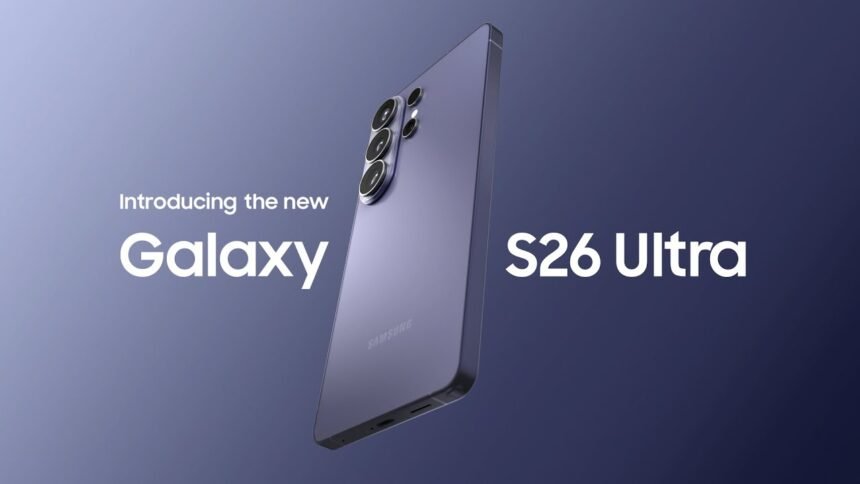
Samsung Galaxy S26 Ultra, If you thought smartphone innovation had hit a ceiling, Samsung’s new Galaxy S26 lineup is here to prove you wrong—quietly but confidently. Instead of flashy design overhauls, Samsung is betting big on AI, privacy, and subtle but meaningful refinements that actually change how you use your phone day to day. The biggest example of this shift is the Samsung Galaxy S26 Ultra Privacy Display, a built-in screen protection feature designed to keep your content hidden from prying eyes without sacrificing display quality.
In this deep dive, we’ll walk through everything you need to know about the Galaxy S26 Ultra, S26 Plus, S26, and the new Galaxy Buds 4 series—what’s new, what’s smart, and what’s worth your money.
Galaxy S26 Lineup At A Glance
Samsung has officially unveiled three new flagship phones:
-
Galaxy S26 Ultra – 6.9‑inch powerhouse at $1,300
-
Galaxy S26 Plus – 6.7‑inch premium model at $1,100
-
Galaxy S26 – 6.2‑inch standard flagship at $900
Samsung Galaxy S26 Ultra, Pricing puts Samsung in direct head‑to‑head competition with Apple’s iPhone 17 family. While the Ultra keeps the same price as last year, both the S26 and S26 Plus see a $100 bump—likely driven in part by ongoing memory chip constraints and the cost of new AI capabilities.
Alongside the phones, Samsung also launched:
-
Galaxy Buds 4 Pro – $249
-
Galaxy Buds 4 – $179
All devices are up for pre‑order now and will hit shelves on March 11.
So what’s the big story this year? Less about how the phones look, and more about how they think—and how they protect your privacy.
Why Samsung Focused On AI, Not Looks
If you’re expecting a radical redesign, you might be underwhelmed at first glance. The S26 series looks familiar. But that’s deliberate.
Instead of chasing a new color every year, Samsung is trying to answer a deeper question: What will actually make you upgrade a phone you already like? Their answer: smarter AI features, real‑world privacy protections, and tools that save you time instead of just taking better selfies.
Yes, this is a risky move. Many people still only upgrade when the hardware looks new or the camera jumps significantly. We saw how Apple’s iPhone 17 lineup drove record demand by combining a refreshed design with new finishes.
Samsung, however, is betting that once you experience features like a built‑in privacy screen and AI‑driven automation, you’ll care less about the fact that the frame looks familiar and more about what the device can do that your current phone simply can’t.
Galaxy S26 Ultra: The Star Of The Show
Let’s start with the main attraction: the Galaxy S26 Ultra. This is where Samsung is pushing the most ambitious ideas, especially around privacy and power users.
The All‑New Built‑In Privacy Display
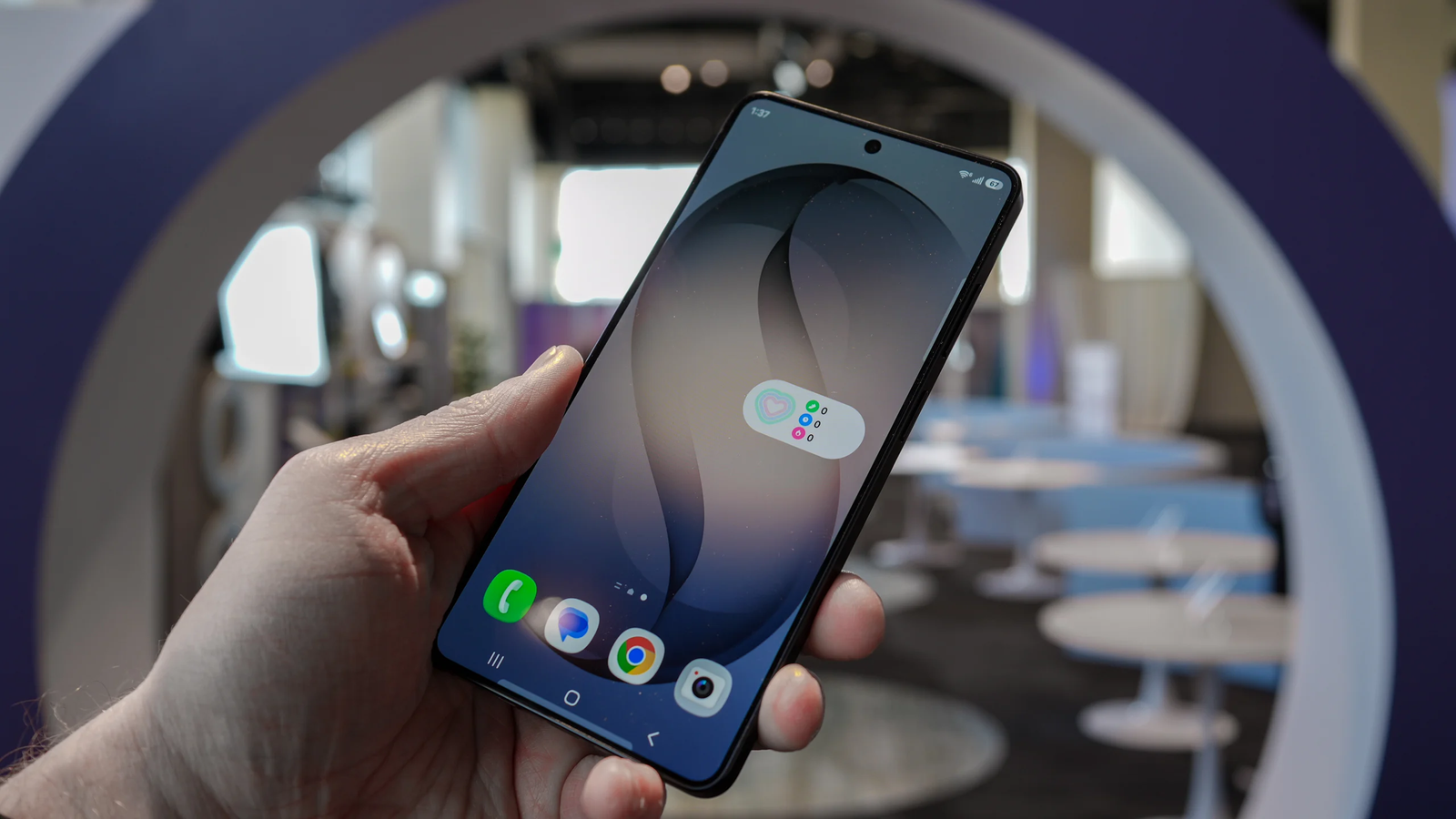
Samsung Galaxy S26 Ultra, The headline feature on the Ultra is something we’ve never seen natively on a flagship before: a built‑in Privacy Display.
What does it do?
-
When enabled, the 6.9‑inch screen becomes dramatically harder to view from side angles, above, or below.
-
It mimics the effect of a physical privacy screen protector, but it’s integrated directly into the display’s pixel control.
-
Samsung essentially turns off or adjusts certain pixels at off‑axis angles so the screen looks normal to you, but unreadable to people around you.
If you’ve ever tried checking your bank app on a flight or reading a private message on a crowded train, you know exactly why this matters. Think of it like having digital blinds on your display: open and clear for you, opaque for everyone else.
You can customize it in several ways:
-
Keep Privacy Display on all the time for maximum protection.
-
Set it to automatically enable for specific apps such as banking, email, messaging, or work tools.
-
Turn on a notifications‑only shield, so previews and banners stay private while the rest of the screen looks normal.
-
Trigger it automatically whenever you’re entering a PIN, password, or passcode.
A nice side benefit? Because you no longer need a physical privacy filter stuck on your screen, you can enjoy the Ultra’s anti‑reflective display at full quality. In demonstrations, it handled glare noticeably better than Apple’s iPhone 17 series.
Refined Design: Lighter, Thinner, More Practical
Design‑wise, the Ultra doesn’t scream “new,” but Samsung made some deliberate structural changes.
-
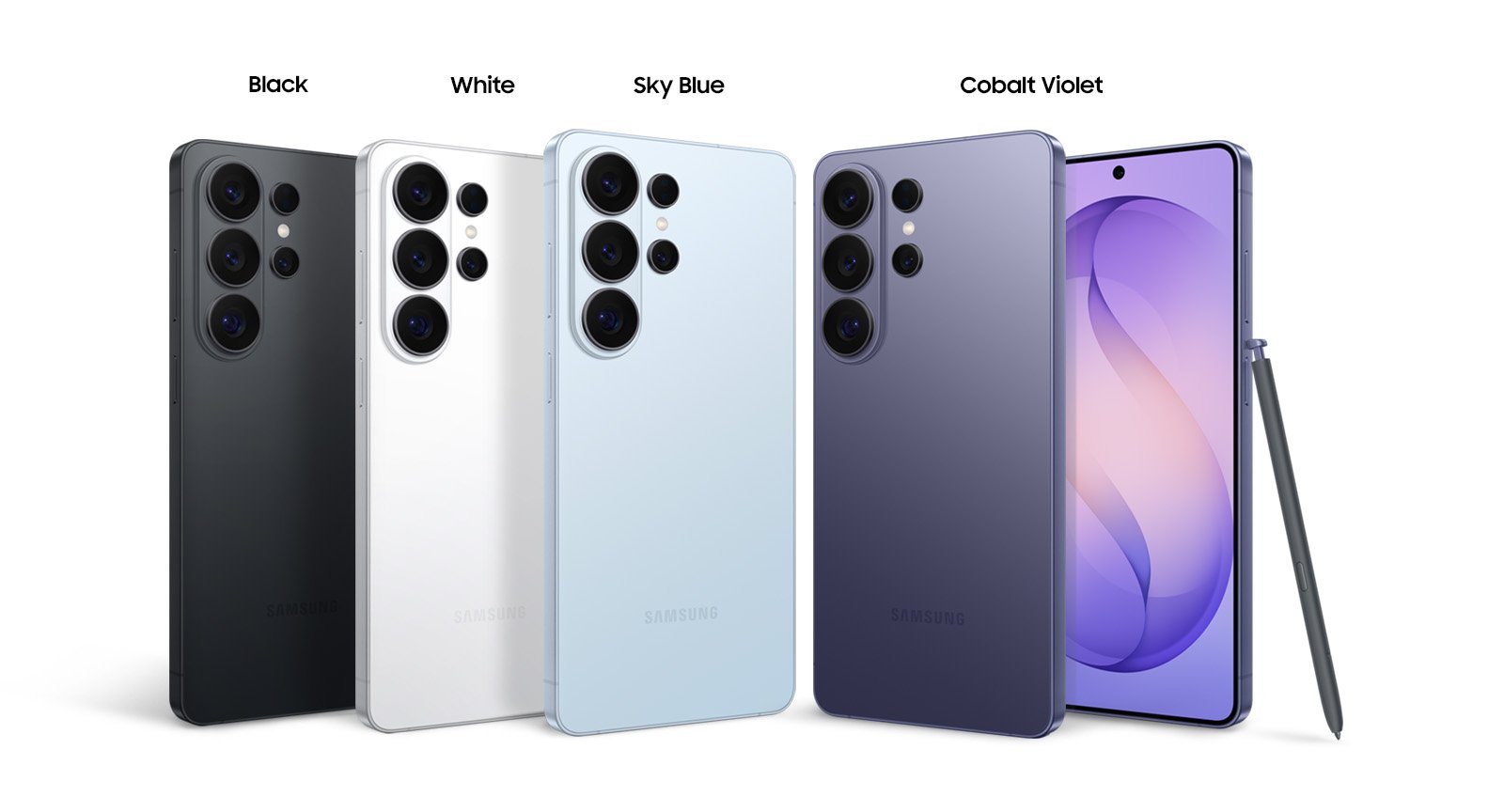
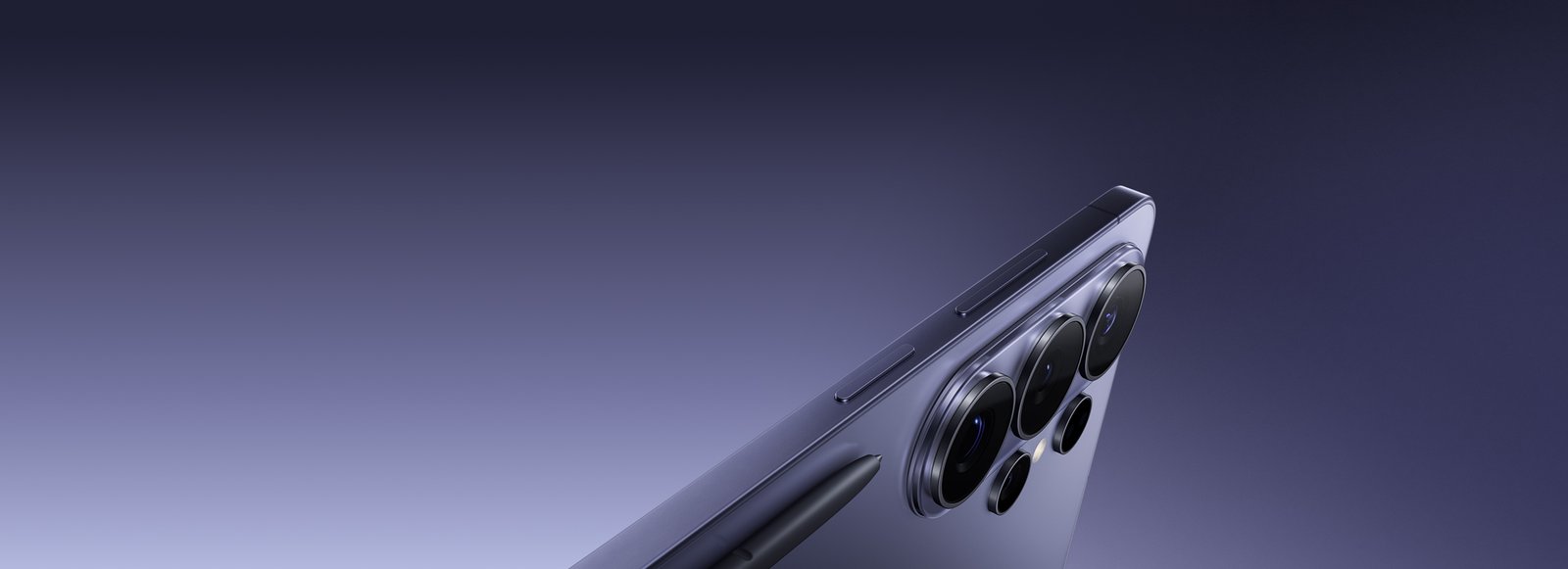
The company has moved back from titanium to aluminum for the frame.
-
This allows the S26 Ultra to be lighter and thinner than previous generations.
For daily use, that means less hand fatigue, a better grip, and a phone that feels premium without feeling like a brick in your pocket. It’s an evolution rather than a revolution—but one you notice every time you pick it up.
Camera Hardware: Same Megapixels, Smarter Performance
On paper, the camera specs look similar:
-
200 MP main sensor
-
50 MP zoom lenses
The real upgrades are under the hood:
-
The lenses now feature a wider aperture, letting in more light.
-
Low‑light performance, especially in dim indoor settings or night scenes, should see a tangible boost.
-
Samsung has refined its Nightography video mode, teaching it to recognize noise patterns specific to each lens and automatically clean them up in dark footage.
In practice, this means clearer night videos, less grain, and smoother detail when you record at concerts, on nighttime city walks, or in moody indoor lighting. It’s less about flashy zoom numbers and more about consistently usable footage in tough conditions.
Charging, Cooling, And Performance
The Samsung Galaxy S26 Ultra also gets some serious under‑the‑hood improvements for heavy users:
-
65W wired charging – up to 75% charge in around 30 minutes.
-
25W wireless charging – still fast enough for everyday top‑ups.
-
An upgraded vapor chamber for better heat dissipation, keeping performance stable during gaming, 4K video recording, or long AI tasks.
If your phone is your main camera, gaming console, and productivity tool, this matters. Fewer thermal throttling issues, faster charging when you’re about to head out, and less time tethered to a wall.
As for the S Pen, it remains docked inside the Ultra as usual. There are no headline new stylus tricks this year, but for note‑taking, sketching, or editing documents and photos, it’s still one of the most distinctive features in the flagship phone world.
Galaxy S26 Plus & S26: Familiar, But Smarter
While the S26 Plus and S26 don’t get the Privacy Display or S Pen, they’re far from boring. Think of them as the more approachable flagships that still pack serious intelligence.
Key basics:
-
S26 Plus – 6.7‑inch display
-
S26 – 6.2‑inch display
-
Both run on Qualcomm Snapdragon 8 Elite Gen 5 across the line
Camera hardware remains almost unchanged compared to last year, but Samsung compensates with clever software enhancements.
New Video Stabilization: Horizontal Lock
Within the Super Steady stabilization mode, there’s a new trick called Horizontal Lock:
-
It keeps the horizon perfectly level while recording, even if you twist or rotate the phone in your hand.
-
The effect is similar to using a gimbal, but without any extra gear.
If you record travel clips, action shots, or dynamic social media reels, this makes your footage look instantly more professional, even when you’re moving or experimenting with creative angles.
Natural‑Language Image Editing
Samsung Galaxy S26 Ultra, Samsung is bringing natural language image editing to the S26 line, in a way that feels similar to what Google has been doing with its Pixel phones.
You can:
-
Take a photo
-
Describe what you want in simple words—like “make the sky more dramatic,” “remove that person in the background,” or “add more light to my face”
-
Let the phone’s generative AI handle the editing
Instead of learning complex editing apps, you just talk to your phone like you would to an assistant. It’s photo editing for people who don’t want to be photo editors.
On top of that, the phones now offer call screening and in‑call scam detection, using AI to help you identify suspicious calls before you get pulled into them.
AI Everywhere: Perplexity, Bixby, And Gemini
Samsung’s biggest play this year is its embrace of a multi‑agent AI strategy. Instead of relying on just one assistant, the S26 lineup blends Perplexity AI, Samsung Bixby, and Google Gemini across different parts of the system.
Perplexity Integration: “Hey Plex” On Your Phone
Samsung has partnered with Perplexity to build its technology directly into the S26 phones.
What does that mean for you?
-
You can summon Perplexity by saying “Hey Plex” for fast, conversational answers.
-
Perplexity also boosts Bixby’s real‑time web answers, making Samsung’s own assistant feel more informed and responsive.
This isn’t just a surface‑level integration. Samsung is giving Perplexity deep system access to core apps like:
-
Notes
-
Calendar
-
Gallery
-
Clock
-
Reminders
In the coming months, Perplexity will also be deeply integrated into Samsung Internet, the company’s mobile browser. This turns the browser into more of an intelligent research and browsing companion rather than a passive app.
Bixby Gets Smarter And More Useful
Bixby hasn’t disappeared; instead, it’s getting more capable behind the scenes.
Samsung says Bixby is now better at:
-
Understanding natural conversation
-
Helping you tweak system settings
-
Surfacing hidden features that most users never discover
-
Guiding you through adjustments without forcing you into complex menus
Think of Bixby as the system‑level helper, while Perplexity focuses on information, research, and content‑style tasks.
Google Gemini: The Default Power Assistant
Despite the Perplexity partnership, Google Gemini remains the default assistant on the S26 series, and it’s getting some headline features too.
One of the most interesting is automated app actions. You’ll be able to say something like:
-
“Get me an Uber to SFO.”
Gemini will then:
-
Open the Uber app
-
Fill in your pickup and drop‑off details
-
Walk through the booking steps for you
You’ll see everything happening on screen and can intervene or cancel at any time. Before a ride is actually booked, you must confirm—so nothing happens behind your back.
For now:
-
Uber is the only launch partner
-
Samsung is aiming to expand to services like Instacart and DoorDash in the future
-
This is an early preview in the US and South Korea, with broader support expected later as part of Android 17
This is where AI stops being just “smart replies” and starts acting like a true digital assistant that can actually do things in your apps.
Circle To Search Gets A Boost
Google’s Circle to Search feature is also evolving on the S26 series.
Originally, it let you:
-
Circle anything on your screen—an image, phrase, product, or object
-
Get instant results, including shopping links and contextual information
Now, Samsung and Google are pushing it further by allowing multiple selections at once. Imagine circling:
-
A pair of shoes
-
A bag
-
A piece of furniture
…all in a single view and getting results for each item without redoing the process.
This upgraded version will arrive:
-
First on the S26 series
-
Then roll out to Google Pixel phones later
Now Brief: Lock‑Screen AI That Finally Tries To Help
Samsung is also revisiting Now Brief, its AI‑powered overview that aims to show you useful information throughout the day.
Previously, it felt underwhelming—often generic and not particularly insightful. With the S26 lineup, Samsung is trying to fix that by:
-
Pulling data from app notifications
-
Learning from your usage patterns and habits
-
Curating a more relevant snapshot of your day on your lock screen
In theory, you’ll see reminders, upcoming events, travel details, and important alerts surfaced in a timely and context‑aware way, instead of just a random stack of cards you ignore.
Galaxy Buds 4 Pro: Taking On AirPods Pro 3
Samsung didn’t stop at phones. The new Galaxy Buds 4 Pro and Galaxy Buds 4 are clearly positioned against Apple’s AirPods lineup.
Here’s where they stand:
-
Galaxy Buds 4 Pro – positioned against AirPods Pro 3
-
Galaxy Buds 4 – aimed at AirPods 4 and other mid‑range rivals
-
Both offer active noise cancellation (ANC)
Samsung claims the Buds 4 Pro deliver:
-
Deeper bass
-
High‑resolution wireless streaming that even Apple hasn’t matched yet
So if you care about audio fidelity and use compatible devices, that’s a serious selling point.
At the same time, Samsung is catching up to Apple in other areas by adding:
-
Speech detection – your earbuds can automatically adjust when you start speaking.
-
Head gesture controls – subtle head movements to answer or dismiss calls.
Battery life on the Buds 4 Pro:
-
Up to 6 hours with ANC on
-
Up to 7 hours with ANC off
-
With the case: 26 hours (ANC on) or 30 hours (ANC off)
The Galaxy Buds 4 offer slightly shorter playback times because of smaller batteries, but they still aim to hit that sweet spot of price, features, and portability.
Should You Consider Upgrading?
So where does all this leave you?
If you’re the kind of user who cares about:
-
Real privacy in public spaces
-
Smart, integrated AI that goes beyond gimmicks
-
Stability, charging speed, and long‑term daily comfort
…the Galaxy S26 Ultra is the clear flagship to watch. That Privacy Display alone is a game‑changer for commuters, frequent travelers, and anyone handling sensitive data on the go.
If you want a slightly more affordable flagship without losing core performance, the S26 Plus and S26 round out the lineup with serious AI chops, creative camera software, and top‑tier Snapdragon power.
Combine that with deep Perplexity integration, Gemini’s automated actions, improved Bixby behavior, and upgraded Galaxy Buds, and you start to see Samsung’s bigger vision: a smart ecosystem where AI is woven into everything—not as a buzzword, but as a practical assistant.
Read More: iOS 26.3 Update: Critical Security Fixes, Features & How to Install
Conclusion
Samsung Galaxy S26 Ultra, The Galaxy S26 series doesn’t shout at you with wild new hardware designs. Instead, it leans in with quiet confidence: smarter privacy, more meaningful AI, and carefully tuned refinements that target real‑world use.
From the Ultra’s built‑in privacy display and upgraded low‑light capabilities, to the S26 and S26 Plus’s natural‑language photo editing and gimbal‑like video stabilization, Samsung is clearly betting that the next big leap in smartphones is intelligence and control, not just megapixels and metal.
Add in a multi‑agent AI approach—Perplexity, Bixby, and Gemini sharing the stage—and you get the sense that Samsung’s 2026 flagships are less about what’s in your hand and more about what’s happening behind the glass.
If you’re ready for a phone that feels less like a slab of glass and more like a discreet digital partner, the Galaxy S26 lineup deserves a serious look.