
If youre an iPhone user, its time to hit that Update Now button. Apple has officially released the iOS 26.2 security update , a critical Apple iOS security update designed not just to refine the interface but to protect your iPhone from active cyberattacks and zero-day exploits . With more than 25 major iOS security patches , including two severe zero-day vulnerabilities already exploited in the wild , the iOS 26.2 update focuses squarely on iPhone cybersecurity, privacy protection, and system-level security fixes , making it far more about safety than style.
So, what exactly makes iOS 26.2 such a big deal? Lets dive in.
The Security Wake-Up Call
Cyber threats are no longer confined to suspicious websites or shady downloads. In Apples case, experts discovered vulnerabilities within WebKit, the engine that powers Safari and countless apps. These zero-day exploits were already being used in highly sophisticated attacks, possibly targeting specific individuals or organizations.
In plain language, hackers could remotely execute malicious code on your device just by getting you to open a harmful link. Thats why Apple isnt just suggesting this updateits practically begging you to install it.
What Exactly Got Fixed?
The iOS 26.2 update includes over 25 security patches, with the headline-grabbing fixes centered around WebKits security flaws.
Heres a quick breakdown of some key fixes:
-
WebKit Exploits: Two vulnerabilities that allowed malicious web content to run unauthorized code.
-
Memory Corruption: A serious issue that could let attackers take control of your device.
-
Messages Privacy Leak: A bug that could expose private data through messaging apps.
-
System-Level Vulnerabilities: Improvements that close multiple backdoors across iOS components.
Apple classified many of these as high risk, making immediate installation critical.
Beyond Patches: Whats New and Improved
Sure, iOS 26.2 is mainly about security, but that doesnt mean users get left out of the fun features. Apple has also included refinements and new tools to enhance the everyday iPhone experience.
Heres what users can expect:
-
Apple Music, Podcasts, and Games optimizations for smoother performance.
-
Lock screen customization upgrades, giving you more control over widgets, layouts, and wallpaper interactions.
-
Upgraded safety alerts and alarms for reminders that now sync more intelligently with your apps.
-
Enhanced AirDrop functionality with faster sharing and improved stability.
-
A sleeker overall UI, making transitions and gestures more seamless.
While these may not be revolutionary changes, they certainly add polish to the overall iOS experience.
Apples Unpopular Decision: Leaving Older Devices Behind
iOS 26.2 update, Not everything about this update has users cheering. Apples decision to withhold identical security patches from older iOS 18 versions has raised some eyebrows.
If you own an iPhone 11 or newer, youll receive iOS 26.2. But if youre using an iPhone XS, XR, or XS Max, youll only get iOS 18.7.3, which contains many of the same fixes. Sounds fair, right? Not quite.
The issue is that users running iOS 18 on newer devices are being forced to upgrade to iOS 26 to get the same level of protection. With millions still using iOS 18, this policy effectively nudges users to upgrade whether they want to or not.
Why Zero-Day Exploits Are Such a Big Deal
Youve probably heard the term zero-day before, but what does it actually mean? A zero-day exploit refers to a software flaw that hackers discover before the company even knows it exists. Developers literally have zero days to fix ithence the name.
These vulnerabilities are often exploited by mercenary spyware or state-backed groups aiming for high-value targets. So if Apple confirms that these flaws were already being abused, its not a small concernits a flashing red alert.
How Apple Responded Swiftly
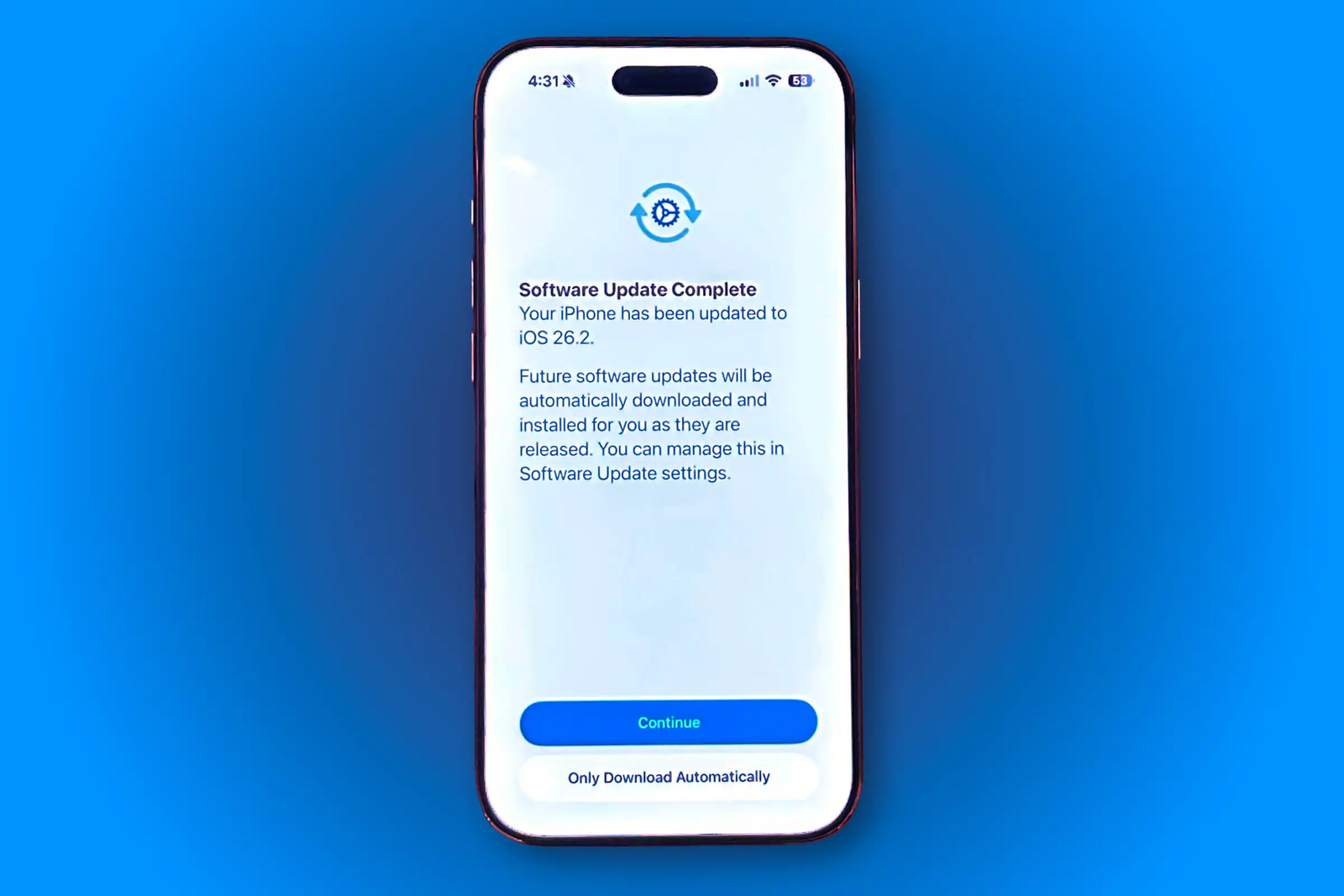
One thing Apple deserves credit for is its rapid response. Within days of discovering the ongoing attacks, the company pushed out iOS 26.2 globally. This quick action mirrors similar moments in the past, like when Apple patched Pegasus-related exploits in earlier updates.
It also highlights Apples commitment to its security first reputationsomething thats becoming increasingly important as cyber threats evolve.
Installation: Heres How You Can Update Right Now
Updating your iPhone is a breeze. Just follow these quick steps:
-
Go to Settings.
-
Tap General.
-
Choose Software Update.
-
Hit Download and Install when iOS 26.2 appears.
If your iPhone doesnt support iOS 26, the iOS 18.7.3 update offers an equivalent layer of protection.
Tip: Always backup your data to iCloud or iTunes before updatingjust in case.
What About Performance and Battery Life?
Users often hesitate to update, fearing iOS updates will slow down their devices or drain the battery. Early feedback suggests iOS 26.2 performs smoothly, with no major slowdowns or abnormal battery issues reported yet. In some cases, users are noticing slightly improved responsiveness and stability.
Why You Should Update Without Delay
Think of this update as adding a new lock to your front door after someones been caught picking it nearby. You wouldnt wait a week, right? The same logic applies here.
Ignoring security patches is like leaving a welcome mat out for hackers. Even if you think it wont happen to me, remembermost successful cyberattacks exploit people who delay updates.
The Bigger Picture: Apples Evolving Security Strategy
Apples current update strategy suggests its moving toward a more unified ecosystem. By pushing users toward the latest iOS generation, Apple can concentrate resources on modernizing security architecture while gradually retiring older frameworks.
While it may frustrate some users, this approach could ultimately lead to a more secure, streamlined iPhone user base.
Similar Articles: iPhone SE 4: Apples Biggest Budget Phone Upgrade Yet!
Conclusion
The bottom line? The iOS 26.2 update isnt optionalits essential. With active zero-day threats, over two dozen patches, and several feature refinements, its one of the most important updates Apple has released recently.
Whether youre doing it for safety, performance, or peace of mind, updating now ensures your iPhone stays protected and future-ready. And lets be honestnobody wants to be the one whose phone becomes the hackers next playground.